A code that is off is refused at checkout and stays in the list as INACTIVE, with its history. A code that is deleted is gone.
The screens pictured here are an example ministry’s, so the names and figures in them are not yours. Everything they show works the same way in your own admin.
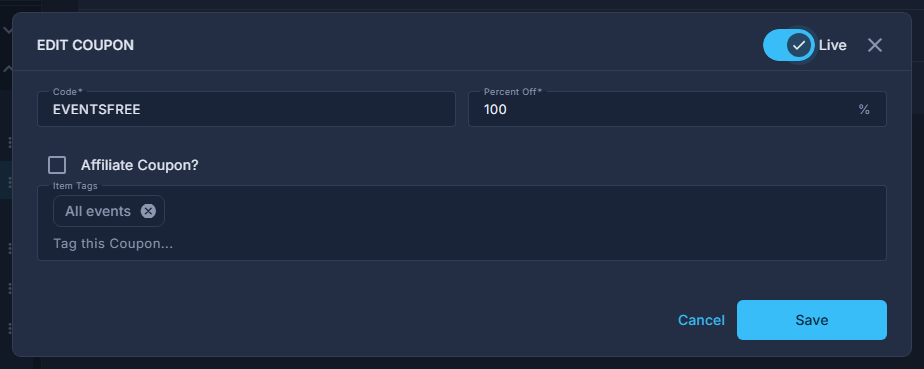
Open Back Office, then Commerce, then Coupons, and double-click the coupon.
Switch Live off at the top of the dialog and press Save.
The list shows INACTIVE in red. Switch it back on the same way.

The Live switch, beside the dialog's title. To delete instead, press the red trash can on its row and press OK.
Orders that used the code keep it on their receipt; the Commissions report keeps them too.
An order paid entirely by a coupon carries the code as its receipt, so switching off rather than deleting keeps the code findable from the order.