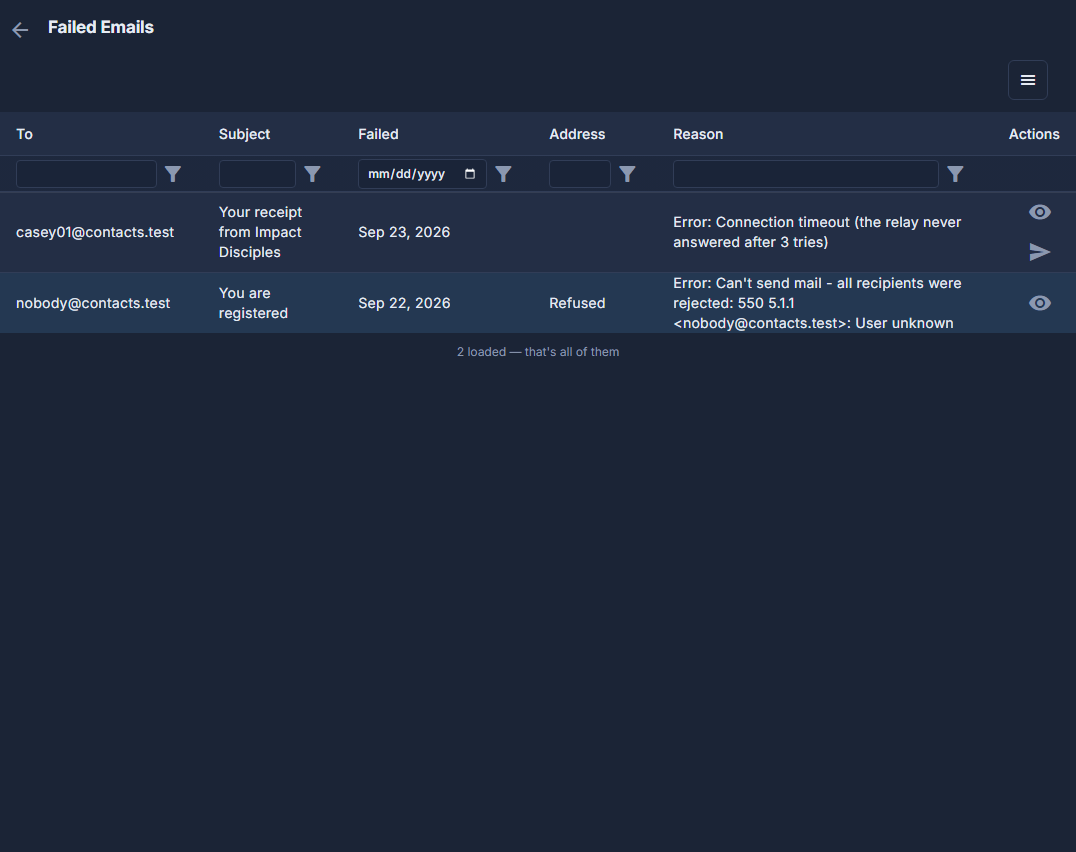
When the mail server cannot be reached, the platform tries an email three times over about a minute. If it still has not gone, it is listed here, and it goes nowhere until somebody resends it. Campaign emails are not listed: their campaign tries them again by itself.
The screens pictured here are an example ministry’s, so the names and figures in them are not yours. Everything they show works the same way in your own admin.
Open Back Office, then People, then Campaigns, open the ☰ at the top of the list and choose Failed Emails.
Read the Reason column to see what went wrong.
"The relay never answered" means the mail server was down for a moment, and resending usually works. Refused in the Address column means that address does not exist, so there is no Resend: check the address with the person first.
Press the eye on a row to read the email.
Press the send arrow, then OK, to send it again.
It is sent once, as it was written, and it leaves the list. Only an Admin can resend.