Mailing people who never open or click tells mailbox providers your email is unwanted, and costs everyone else their inbox placement. These two switches decide who is left out and who is nudged, for every campaign at once.
The screens pictured here are an example ministry’s, so the names and figures in them are not yours. Everything they show works the same way in your own admin.
Open Site, then Settings, and open the Unengaged contacts section on the right.
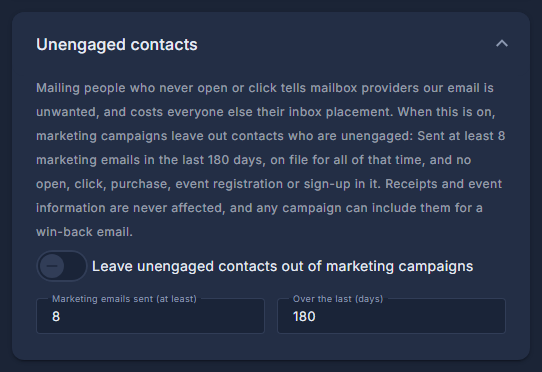
Leave unengaged contacts out of marketing campaigns: switch it on and set the two numbers.
A contact is unengaged when they have been sent at least that many marketing emails over that many days and opened or clicked none. Receipts and event information are never affected, and any campaign can still include them for a win-back email.
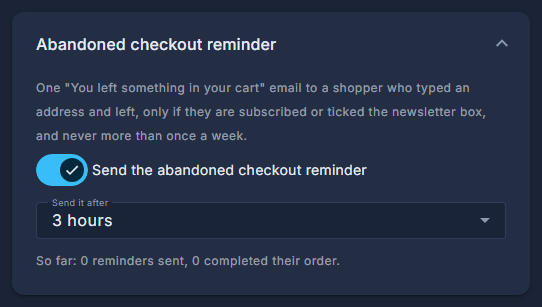
Open the Abandoned checkout reminder section, switch it on and choose Send it after.
When somebody types their email at checkout and leaves without ordering, they get one "You left something in your cart" email with a button that puts the cart back - only shoppers who ticked the newsletter box or are subscribed, never anyone who unsubscribed or bounced, and never more than once a week. The line under it says how it has done so far.
Press Save.