The menu is one band of your site's header. The strip above it, the cookie bar at the foot of every page and the search box in the header each have their own switch and their own Save.
The screens pictured here are an example ministry’s, so the names and figures in them are not yours. Everything they show works the same way in your own admin.
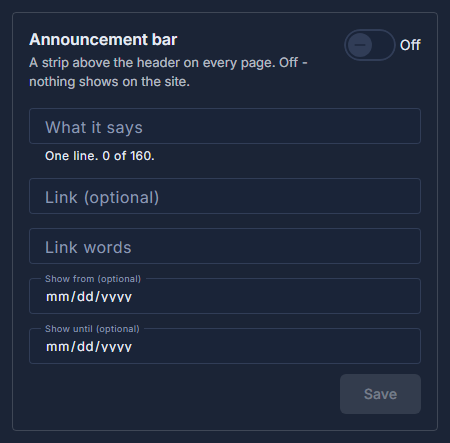
Open Site, then Header, and look down the right-hand side.
Announcement bar: switch it On, write the line, and press Save.
One line of up to 160 characters. Link and Link words are optional; Show from and Show until let you write it today and have it appear and disappear by itself.
Cookie notice: switch it On and press Save.
A bar at the foot of every page with a link to the Privacy Policy and OK. It blocks nothing, and each visitor sees it until they press OK. Leave the words empty for the standard ones.
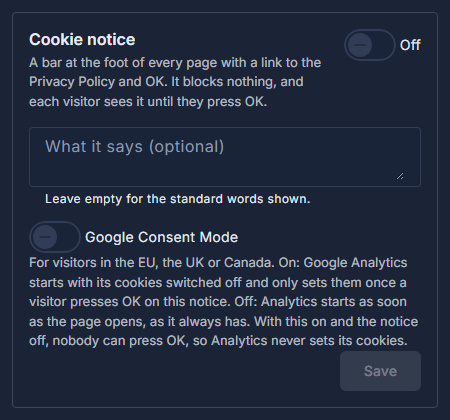
Cookie notice: on or off, and the words, with the standard ones shown greyed. Visitors in the EU, the UK or Canada? Switch on Google Consent Mode under the notice and press Save.
Google Analytics then starts with its cookies off and sets them only once a visitor presses OK on the notice, so keep the notice on too. Off, Analytics starts as soon as the page opens, as it always has.
Search box in the header: switch it on or off.
There is nothing to save - the switch writes as you flick it.
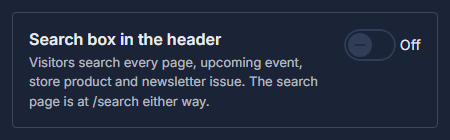
Search box in the header: one switch.
Each of the three saves on its own. Cancel on one puts back what was saved for that one only.