One release carries the platform to every tenant at once. Everything a ministry sees comes from it, so the gate in front of it is the only thing standing between a mistake and every ministry on the platform having it.
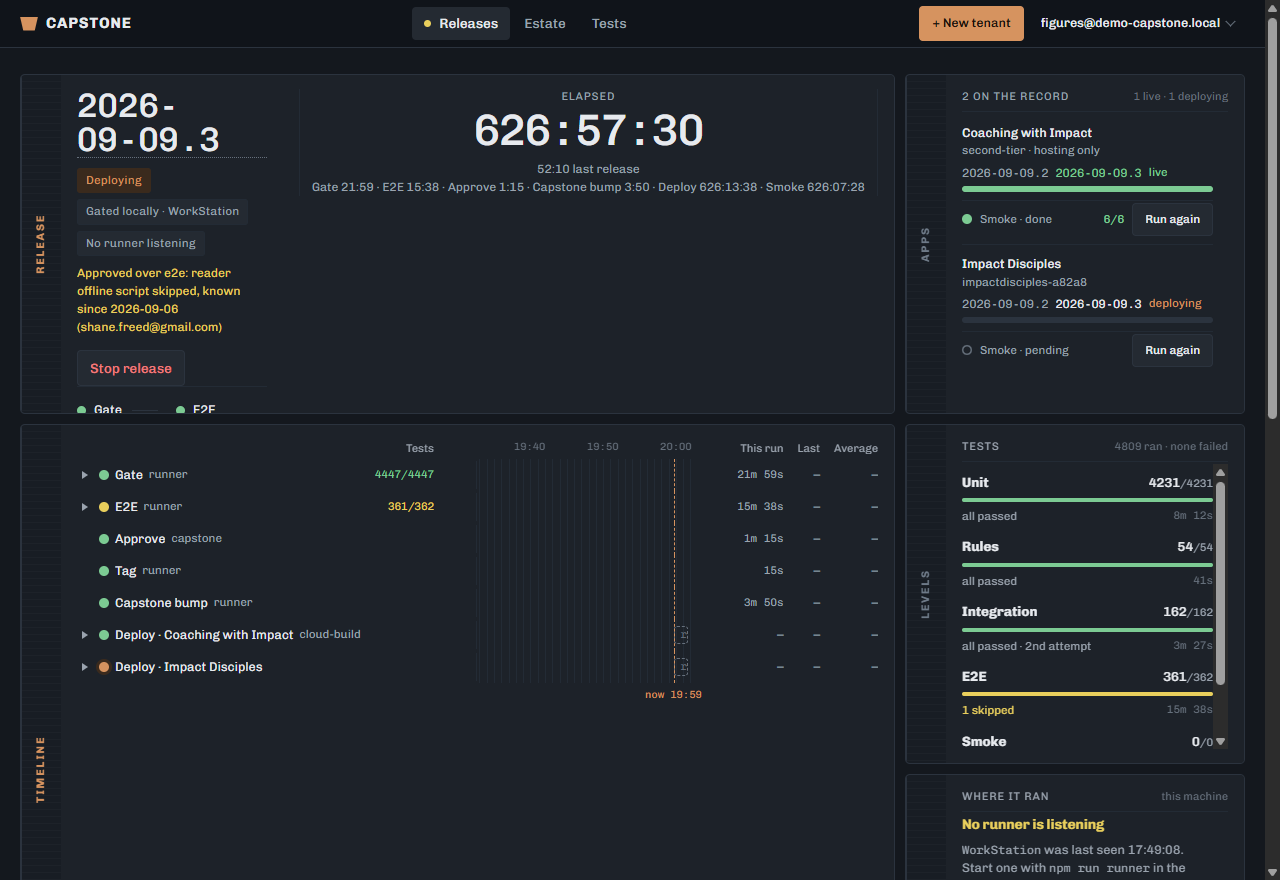
Open Releases.
Read the summary: what is going out, and against which apps.
The Apps box lists what the release touches.
Start it in the cloud.
It runs on a worker, not in your browser — you can close the console and come back to it.
Watch the stages: the gate first, then the deploy.
Nothing is deployed until the gate is through.
Read Attention for anything that needs you.
It is the one box that tells you to do something rather than reporting.
If it stops and waits for an approval, press Approve on the screen.
A release only waits when something is worth a second look — fewer tests than last time, coverage down, or a step that reported itself unreliable. Approving is what sends it to every ministry, so read why it stopped before you do.
Or approve it from the command line, when you are not at the console.
node apps/admin/scripts/approve-release.js --tag=<the tag> prints what it would do and writes nothing; add --execute to approve it. It makes the same four-field write the button makes, and only if the release is still waiting when the write lands. It REFUSES a gate that is not green, which the button does not have to because somebody is looking at the screen. A --reason is recorded with the approval, so why it went out lives in the release record rather than in a message.
A release is pinned to the commit it was STARTED on. Fixing code and pressing Resume re-runs the same commit — a code fix needs a new Start.