A t-shirt comes in sizes, a book in languages. Each choice is a list of words on the product; the store asks the buyer to pick one and writes the pick on the order.
The screens pictured here are an example ministry’s, so the names and figures in them are not yours. Everything they show works the same way in your own admin.
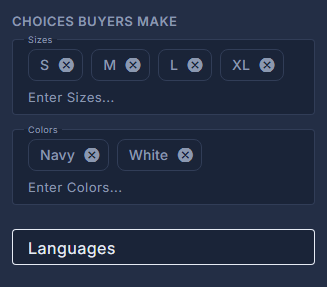
Open the product and find "Choices buyers make" on the right.
Type a size in Sizes and press Enter. Do the same for Colors.
Each becomes a chip. The x on a chip removes it. A product with no chips asks the buyer nothing.
Type Languages the same way - unless the product is a library book.
A digital version's languages are the library's: English and every language its lessons are translated into. They are shown, not typed, and fill in when the product is saved. Press "Refresh from the Library" after a new translation lands.
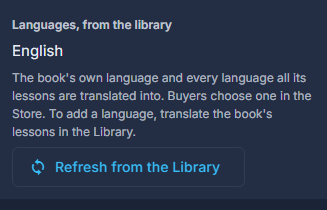
A library book's languages come from the library, with a button to read them again. Press Save.
Press Page in the store preview to see the pickers as the buyer will.
The size and colour a buyer chose are written on the order's items, under Purchases. Change the list here and old orders keep what they said.