The shipping on an order is a live quote from the carrier, worked out from what the box weighs and where it is going. You do not set rates. What you set is the order total above which shipping stops being charged at all.
The screens pictured here are an example ministry’s, so the names and figures in them are not yours. Everything they show works the same way in your own admin.
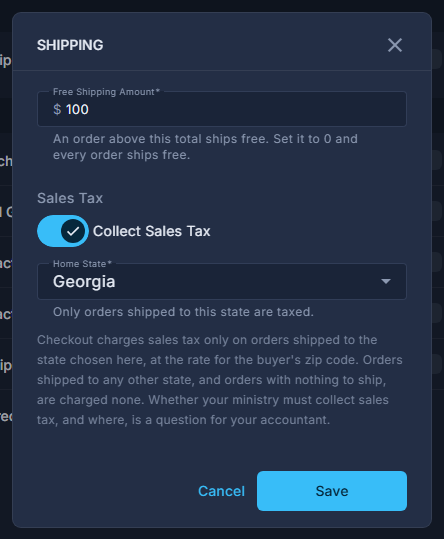
Open Back Office, then Commerce, then Products; open the ☰ at the top and choose Shipping.
Type the order total above which shipping is free, and press Save.
An order over that amount is not charged postage.
Give every physical product a real Weight.
On the product itself. The quote is worked out from the weight of everything in the cart.
For one campaign only, tick "Free shipping on orders containing it" on its offer.
Whichever saves the shopper more - that or your free-shipping total - is the one applied.
An empty box is not the same as zero. Zero ships every order free; leaving it blank means nothing ever ships free, which is why an empty box is refused rather than saved.
A physical product with no weight never reaches the carrier at all, so it ships free and says nothing about it. A missing weight is the usual cause of postage that should have been charged and was not.
An order of nothing but downloads has no shipping at all - no address, no carrier, nothing to charge. Changing that amount needs the Settings permission rather than the Store one, so somebody given the store can read it without being able to change it.