The receipt goes out in the same moment the order is written, so the customer has it before you have seen it. What is left for you is the box: acknowledge it, label it, pack it, ship it.
The screens pictured here are an example ministry’s, so the names and figures in them are not yours. Everything they show works the same way in your own admin.
Open Home. An order nobody has acknowledged is in "Needs you".
It stays there until somebody acts on it.
Open Back Office, then Commerce, then Fulfillment.
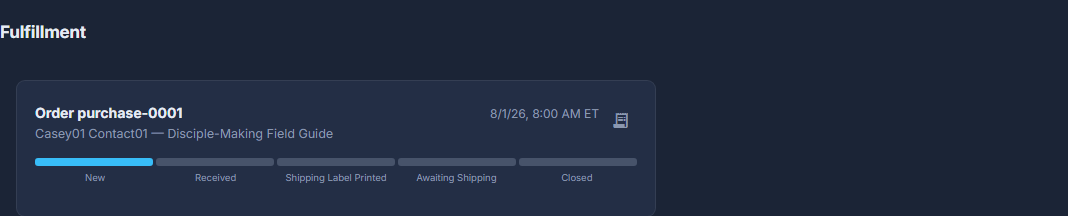
Every order still open, oldest first, new ones on top. The bar under each runs New, Received, Shipping Label Printed, Awaiting Shipping, Closed. The receipt icon opens the order.
Press Acknowledge Order.
That is you saying it has been seen.
Press Print Shipping Label.
Or Shipped via Amazon if Amazon is sending it, or Mark as Picked Up / Delivered for one handed over in person, which goes straight to Closed.
Press Mark as Packaged once it is boxed, then Mark as Shipped when it goes.
Once an order is marked Shipped via Amazon, Send Confirmation Email to Contact emails the customer. Close Without Emailing sits beside it for when they already know - it tells them nothing at all.
Gone a step too far? Open the order itself under Back Office, then Commerce, then Purchases, and use Move Back a Step (Reopen / Move Back on a closed order). Every move is written on the order's timeline.
Only orders with something to post come here. An order of downloads or event places is closed the moment it is paid.