Numbers are said one of three ways on a page - counted up, as stars, or as a bar towards a goal - and the Figure element is all three, chosen in "Shown as". Beside it sit a Countdown to a date and a Price card for a plan.
The screens pictured here are an example ministry’s, so the names and figures in them are not yours. Everything they show works the same way in your own admin.




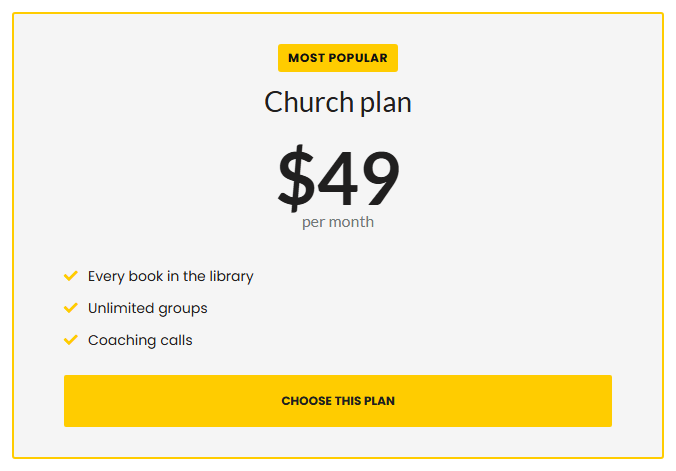
Figure: type the number it counts to, and what goes before and after it.
A "+" after, a "$" before. The words under it say what it is.
Stars: shown as "Stars out of five".
Halves are allowed. The words beside them are optional.
Progress bar: shown as "A bar towards a goal" - type so far, and the goal.
The figures are typed here and change only when somebody changes them.
Countdown: choose the date and time it counts to.
A date that is missing or already past draws no clock at all.
Price card: the plan name, the figure, what it is for, what is included, and a button.
"Most popular" marks one card out. The figure is typed on the card.