This writes one email and sends it to everybody holding a registration for this event, so you do not have to build an audience or copy addresses out.
The screens pictured here are an example ministry’s, so the names and figures in them are not yours. Everything they show works the same way in your own admin.
Open the event's attendee list.
At the top of the list, open the ☰ and choose Email Registered Users.
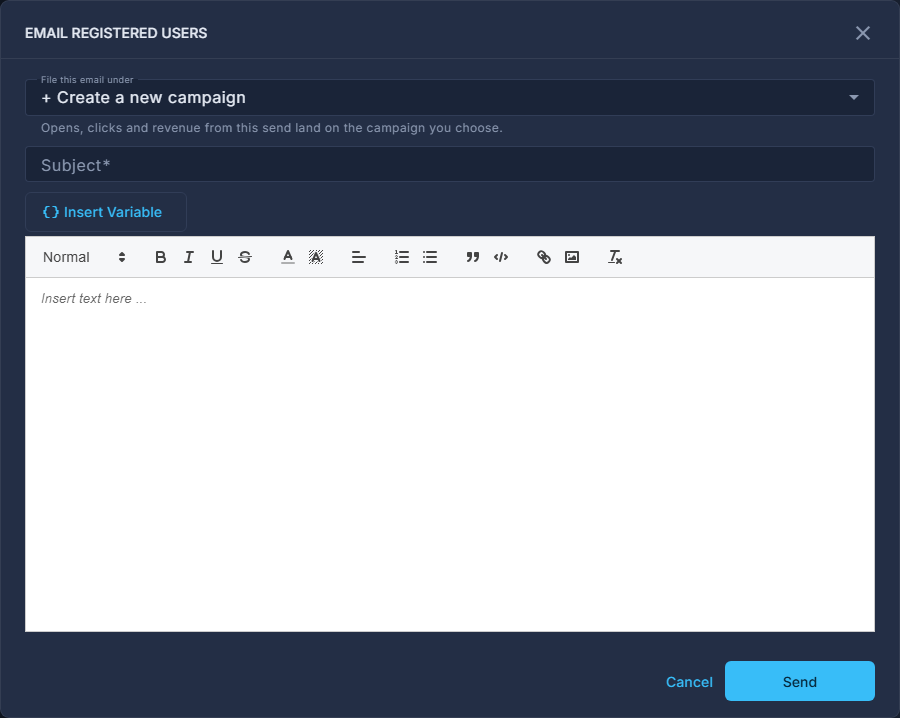
Choose what to file this email under.
Opens, clicks and anything bought afterwards land on the campaign you choose. Create a new campaign if this send is its own effort.
Write the Subject and the message.
The tag button drops in a registrant's own details; Rewrite offers a tidier draft of what you wrote.
Press Send.
It goes to every registration on this event the moment you press Send. There is no draft, no preview to yourself, and an email cannot be called back.
For an online event there is also Send the Link Again, which emails the meeting link to everybody still registered. Anybody sent it in the last few minutes is skipped.
At a summit, a short word on the day - lunch is served, a session has moved - is better sent from the Command Center, where it reaches phones with the event app as a notification.