The attendee list is for working from. The report is the same people laid out to print or take away, with the event's own details above them - and for a summit, who is in each breakout.
The screens pictured here are an example ministry’s, so the names and figures in them are not yours. Everything they show works the same way in your own admin.
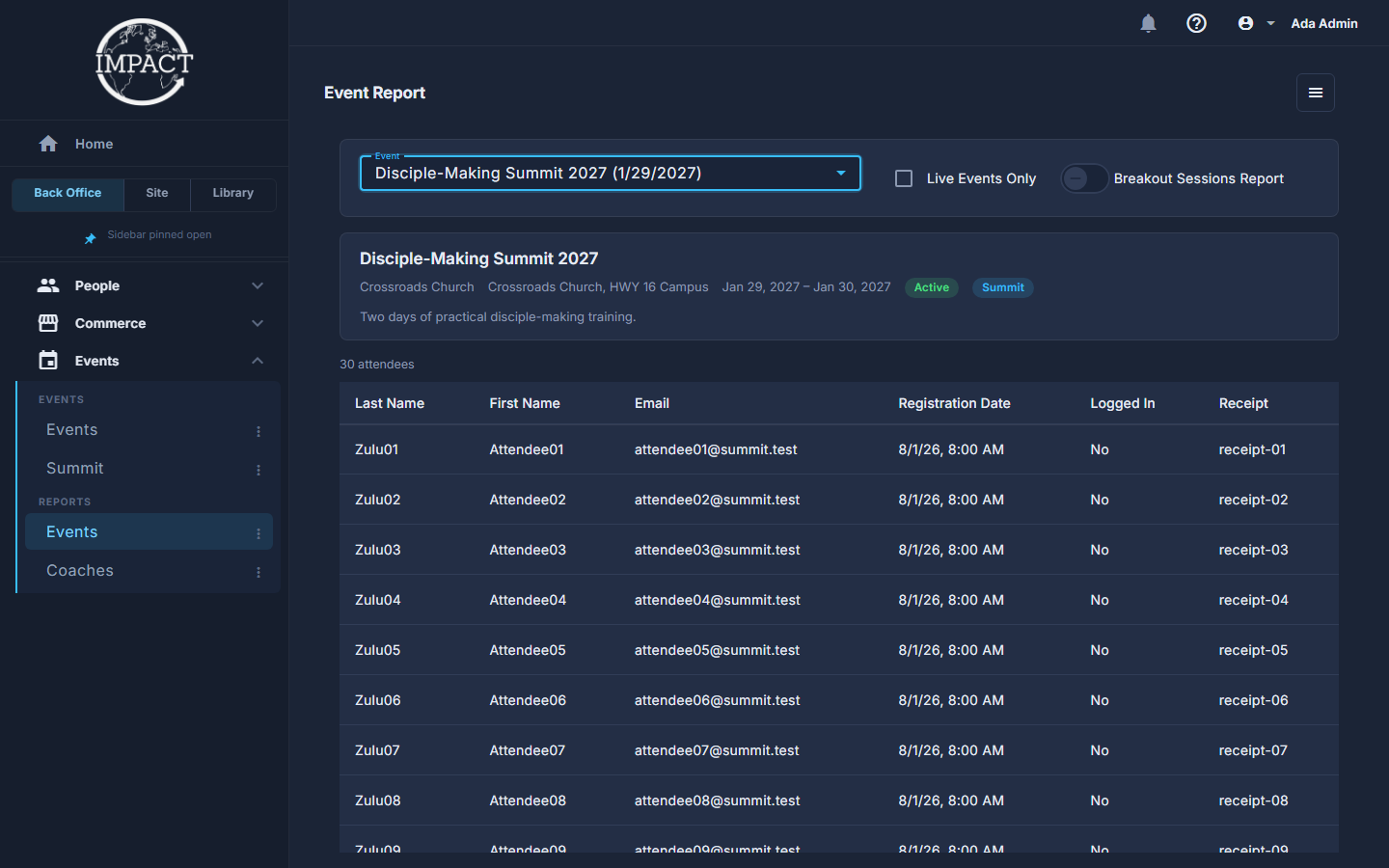
Open Back Office, then Events, then Events under Reports.
Pick the event.
It loads at once - the name, organization, venue, dates and whether it is active, then the attendees with a count. Live Events Only shortens the list of events to choose from.
For a summit, switch on Breakout Sessions Report.
One section per breakout, each with who signed up; a breakout offered at more than one time has a section per time. The sections start folded - press a heading to open it, and again to fold it shut.
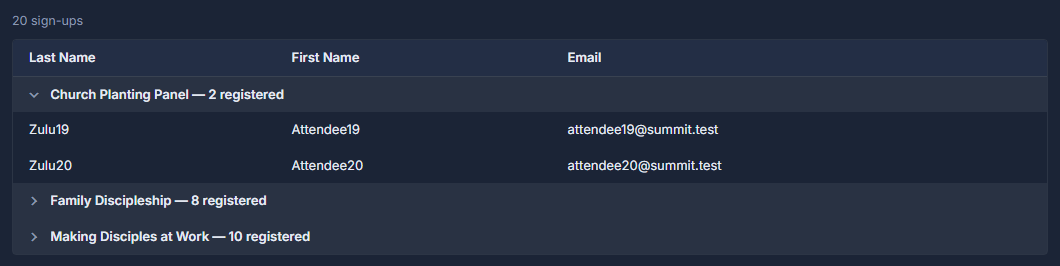
The Breakout Sessions Report, one section per breakout, with the first opened. Open the ☰ at the top of the list and choose Export to Excel to take it away.