Most events have one price. Some need an early bird, a student rate and a price at the door, each with its own closing date and limit - and any event may need a ceiling on how many register.
The screens pictured here are an example ministry’s, so the names and figures in them are not yours. Everything they show works the same way in your own admin.
Open the event and press Tickets on the strip.
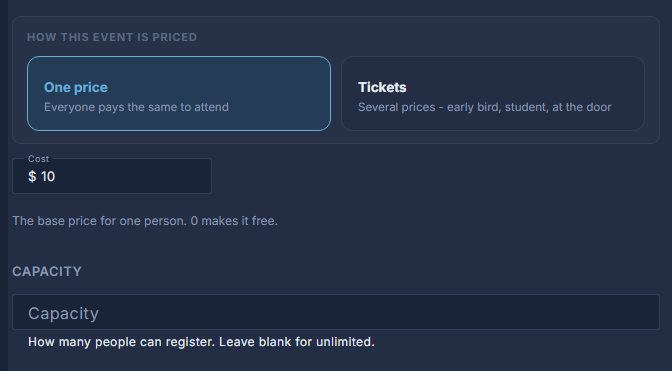
Choose One price or Tickets.
One price is a single Cost everybody pays; 0 makes it free. Tickets lets you sell several kinds at different prices.
For Tickets, add a row for each kind.
Add Ticket adds one. Each has a name, a Price, an On sale until date and a Limit. The cross at the end of a row takes it off the list.
Set the Capacity.
How many people can register in all, across every ticket. Leave it blank for unlimited.
Press Save.
When a Capacity fills, the event page offers a place on the waiting list instead. Who is waiting, and Promote, are on the attendee list.
A paid registration that is later cancelled is not refunded by itself. The attendee list says when a refund may be owed.