Every registrant is sent one email the moment they register, carrying their own link to pick breakouts and, for a ministry with the event app, the button that opens it already signed in. This is where you choose which email that is and read it as they will.
The screens pictured here are an example ministry’s, so the names and figures in them are not yours. Everything they show works the same way in your own admin.
Open the summit and press Confirmation Email on the strip.
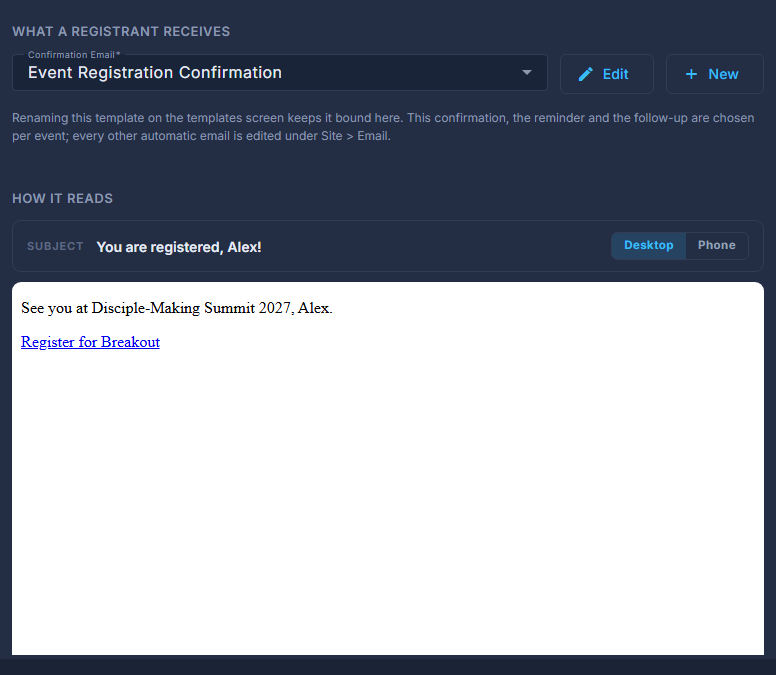
Choose the Confirmation Email.
Edit opens that email without leaving the summit; New makes one. (None) means registrants receive nothing.
Read How it reads, switching Desktop | Phone.
Shown with sample values in place of each registrant's details. To send yourself a test, Edit opens the designer, which has one.
Press Save at the top.
The email is bound to this summit by NAME. Renaming it on the templates screen quietly detaches it; the preview then says no template of that name exists any more.
An email that places *|EVENT_APP|* gets the Open the event app button there. One that does not still gets it at the end, because a summit has a schedule for the app to show.