Somebody who has registered opens the app on the day and sees what is on now, the schedule, the breakouts they chose, where to check in and where lunch is. Everything it shows is read live from the event you edit here - there is nothing to build or upload.
The screens pictured here are an example ministry’s, so the names and figures in them are not yours. Everything they show works the same way in your own admin.
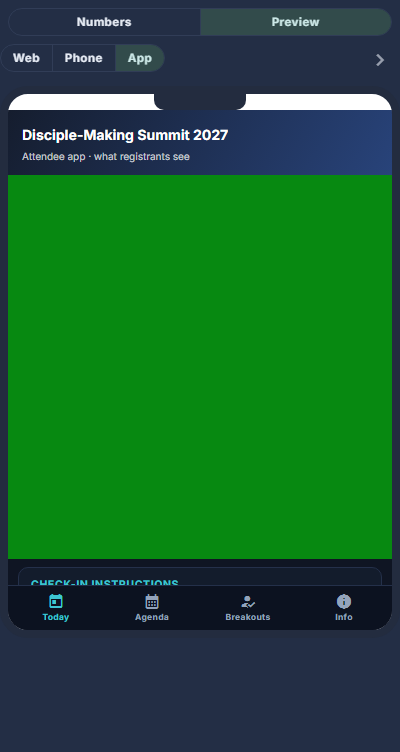
Give the event an App address, and an App image if the main one says Register.
On a summit's App Content; on an ordinary event's Image & Description. The address is events.<your domain>/<address>. Left blank, the event still has an address - its id.
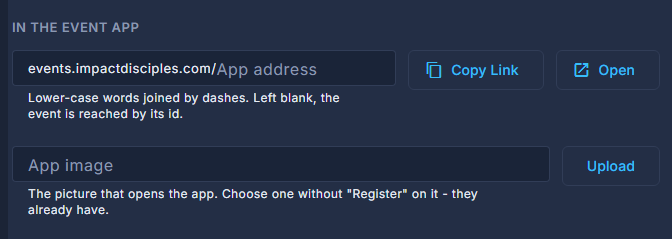
In the event app, on an ordinary event's Image & Description. Give it a schedule.
An event with an agenda gets the Open the event app button in its confirmation and reminder emails. An event with no agenda sends exactly the emails it always did - the app would open on very little. A summit always has one.
Switch Live on - for a summit, move it to Open.
A live event is listed on the app's front door. One that is not live still opens for whoever has its address, with a banner saying so - that is you, checking your work.
Tell attendees to press Open the event app in their email.
It opens their event already signed in. Without the email, the app asks for the address they registered with and emails them a six-digit code.
On the day, message them from the Command Center.
A notification to phones that have the app and turned notifications on; an email to the rest.
Breakouts in the app are the same seats as on the website: a full room is full in both, and there is one waiting list.
No In the event app fields on your editor means your ministry does not have the app. It is set up per ministry, like the website.