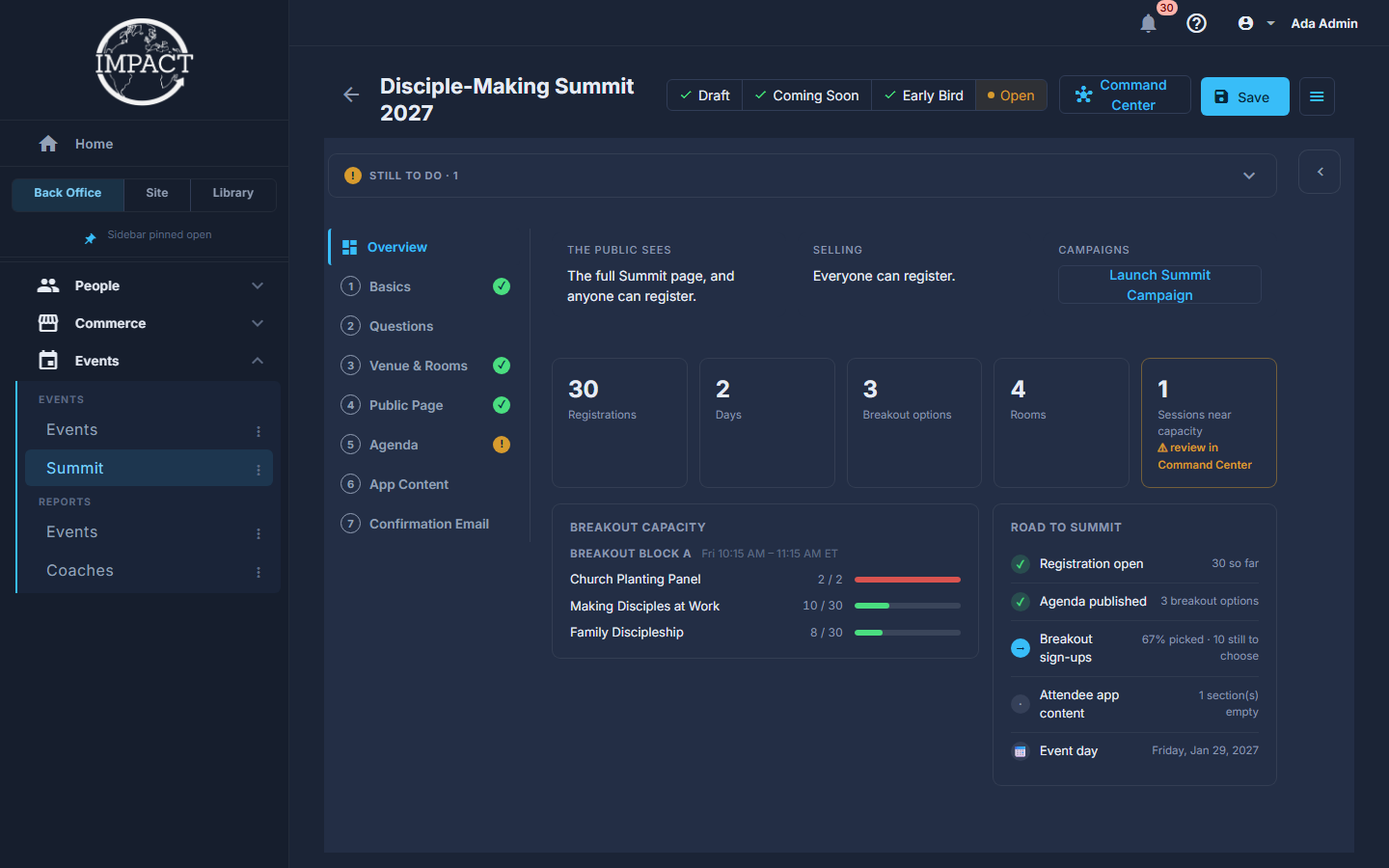
A summit opens on a panel that says how it is doing - registrations, breakouts, what is still empty - because that is the question you open it to answer. Everything you edit is one press away along the strip.
The screens pictured here are an example ministry’s, so the names and figures in them are not yours. Everything they show works the same way in your own admin.
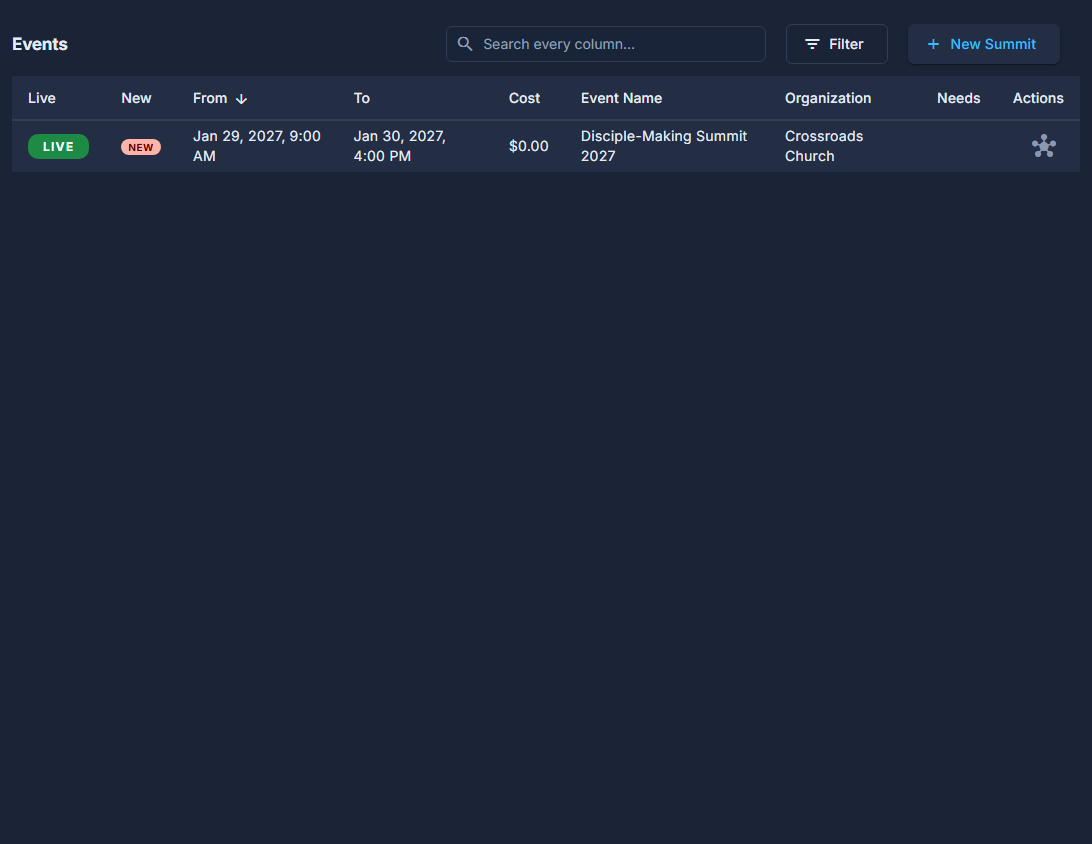
Open Back Office, then Events, then Summit, and double-click the summit.
Its stage - Draft, Coming Soon, Early Bird or Open - is in the header, with Move to the next one beside it.
Read the three boxes at the top of Overview.
The Public Sees and Selling say what the stage means right now; Campaigns offers Launch (or Open) for the Early Bird and Summit campaigns once the stage calls for them. Nothing is launched by itself.

The Public Sees, Selling and Campaigns. Read the ticks in the list of sections down the left.
A green tick beside Venue & Rooms, Agenda, Basics or Public Page means that part is done; an amber ! means something is still to do there. Still to do sits folded at the top as an amber ! and a count; press it to list each missing thing with a button that fixes it - Choose a Coach, Add Photo, Choose Email.
Read the tiles.
Registrations, days, breakout options, rooms, and how many sessions are near capacity.
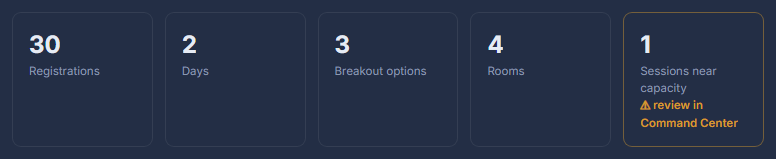
The Overview tiles. Read Road to Summit.
Registration open, open for early birds, or not open yet, the agenda published, how many have picked breakouts, whether the app content is written, and the day itself.
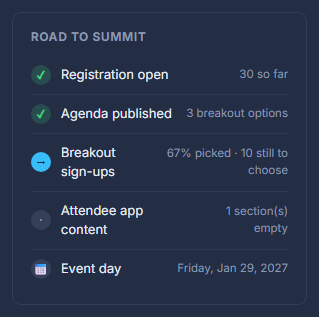
Road to Summit: what is done and what is still to do. Press a section in the list down the left to edit it.
Basics, Questions, Venue & Rooms, Public Page, Agenda, App Content and Confirmation Email. Save stays at the top on every one, and a section with something wrong is marked.
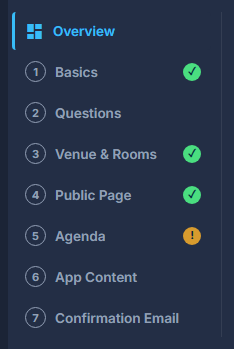
The summit's strip: Overview and seven sections. Keep an eye on Numbers in the rail.
Registrations this week, how many have picked breakouts, which sessions are full, and a Still to do list whose rows jump to the section that fixes them.
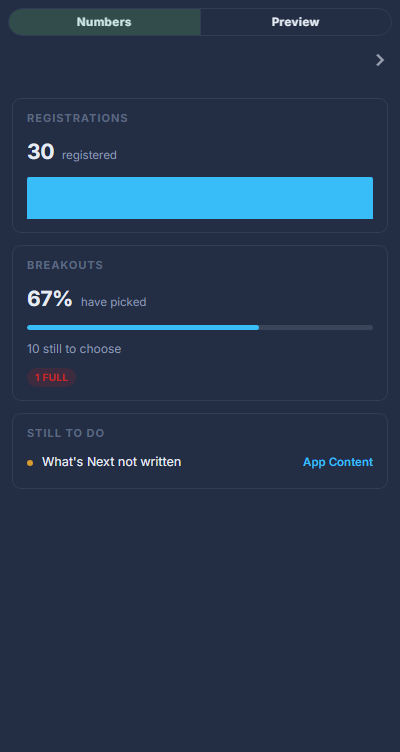
Numbers: registrations, breakouts, and what is still to do. Press Attendee Command Center for the day itself.
Who is registered, breakout sign-ups and waiting queues, capacity, and messages to everyone.
Basics is the summit's name, dates, check-in time, its price or tickets and its reminders - the fields an ordinary event spreads over Details, Tickets and Reminders.