A summit happens at one venue, chosen from your locations, and the next summit you create starts there. The rooms are what you keep: each breakout is put in one, and a room's capacity is the most a breakout in it can take.
The screens pictured here are an example ministry’s, so the names and figures in them are not yours. Everything they show works the same way in your own admin.
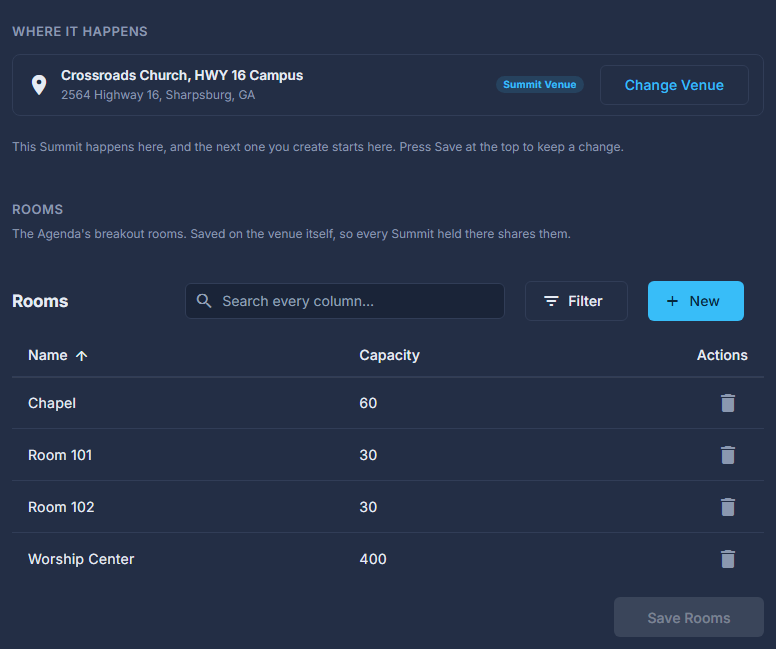
Open the summit and press Venue & Rooms on the strip.
Check the venue, and press Change Venue (or Choose Venue the first time) to pick another.
The list is your locations, the ones kept under Contacts > Organizations. Not there yet? Press Add a Venue in the chooser and give it a name and an address; it is filed under your organization (you choose which if you have several, and a ministry with none gets one named for it), and it comes back picked. Press Use This Venue, then Save at the top to keep the change on this summit; a summit that already has a venue keeps it when you choose another for the next one.
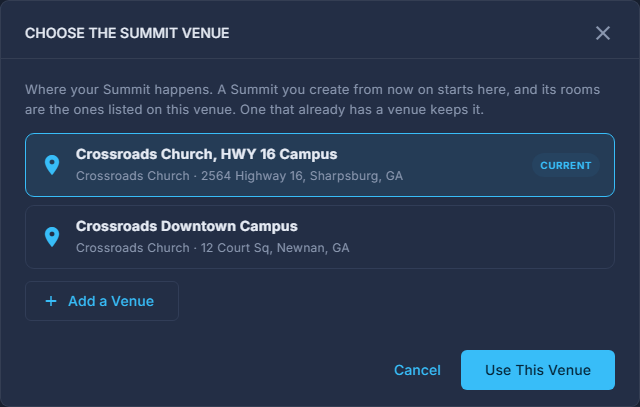
Choosing where the summit happens. Add or edit rooms in the list.
A name and a capacity each. Double-click a row to change it.
Press Save Rooms.
The rooms belong to the venue, not to this summit, so they have their own save and every summit shares them. The editor's Save at the top does not write them, and the panel says when room changes are not saved yet.
Moving a breakout into a smaller room than the people already in it is allowed; the breakout dialog says how many are signed up and that it is more than the room holds.
The agenda builder cannot make a breakout block until there is at least one room, and says so.