The agenda is built one day at a time. Each day has its own tab, holding that day's agenda items in time order.
The screens pictured here are an example ministry’s, so the names and figures in them are not yours. Everything they show works the same way in your own admin.
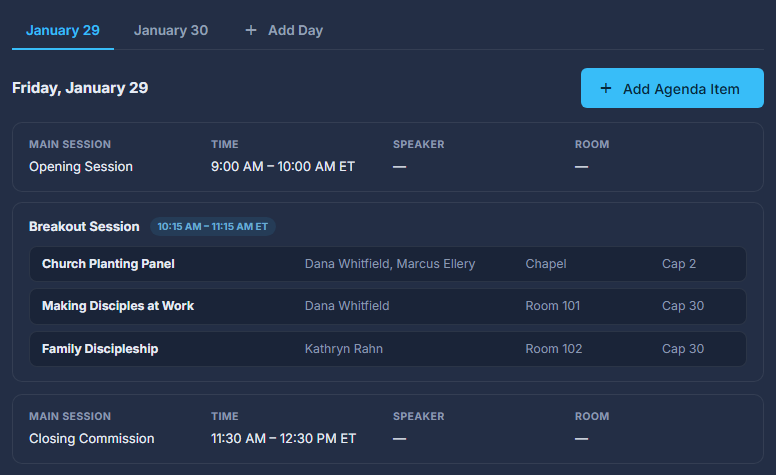
Open the summit and press Agenda in the list down the left.
Pick a day's tab, then press an agenda item to change it.
There is a tab for each day the Basics dates give you, and one for any day an item is already stored on. A main session or a break is a card; a breakout session is one card with its sessions listed inside it, each with its room and cap.
Press Add Day if the schedule runs on a day the dates do not cover.
Pick the date and a tab for it appears. A day with nothing on it is not kept - it is gone when you leave the Agenda.
Press Add Agenda Item at the top of the day, and choose what kind it is.
Main Session is everyone together in one room: a title, a description, the coaches and the room. Break / Admin is registration, coffee, lunch, dinner or set-up: a title and the times. Breakout Session is a time when several sessions run at once.
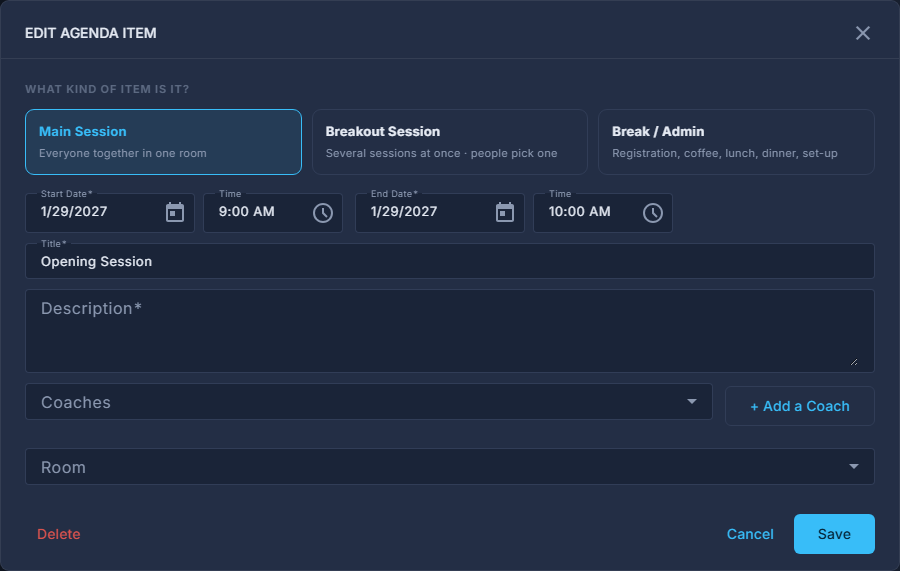
A main session: its kind, times, coaches and room. For a Breakout Session, press Add Breakout Session (top right) for each session people can pick.
The sessions are a list inside the item, one row each with its name, coaches, room, cap and sign-ups, and there is no limit on how many. Double-click a row to edit it. A session has a title, coaches, a room and a Max; attendees pick one. Max is the room's capacity unless you set a lower one, and cannot be higher than the room holds. A saved breakout stays a breakout.
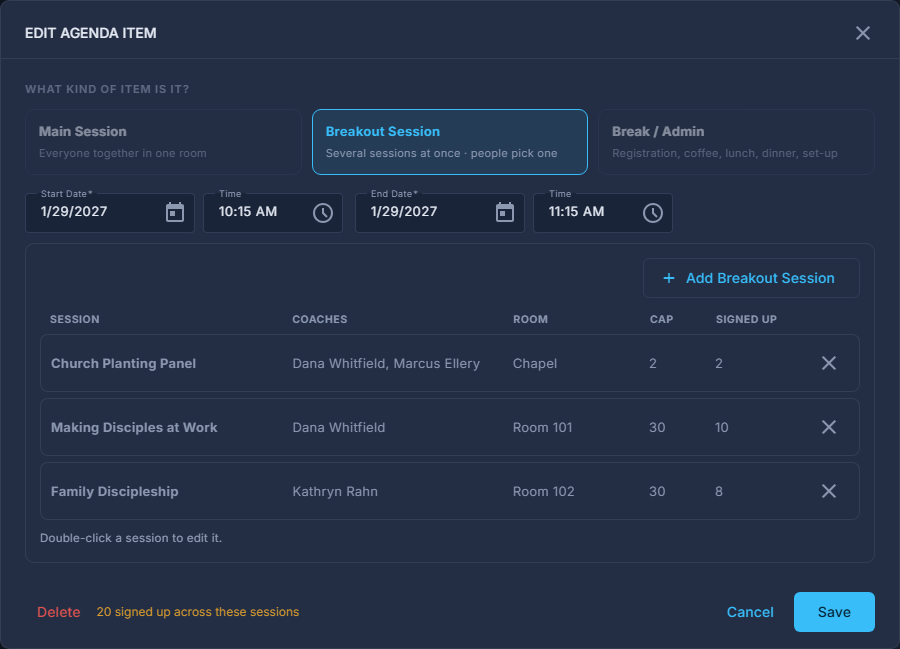
A breakout session: its sessions in a list. Press Save in the Agenda Item window.
The whole summit is saved with it, so there is no second Save at the top to forget. If another step has a problem, or a time is early in the morning, the item stays on the agenda and a message says to press Save at the top once that is fixed.
Delete on a breakout session strands every sign-up in it. The dialog says how many that is before you press it.
The copy icon on a session copies an existing breakout with its title kept identical, so the same session offered at another time counts as one session in the reports.
The Command Center colours a breakout amber at nine-tenths full and red when full.