The people reading in the app are their own list, separate from your staff and from your contacts. This is where you see what somebody can open, hand them a book, or close an account.
The screens pictured here are an example ministry’s, so the names and figures in them are not yours. Everything they show works the same way in your own admin.
Open Library, then Library Users.
Find the person and double-click their row.
The list shows their name, email, last sign-in, where they signed in from, how many books they hold, which version of the app they are on, and their status.
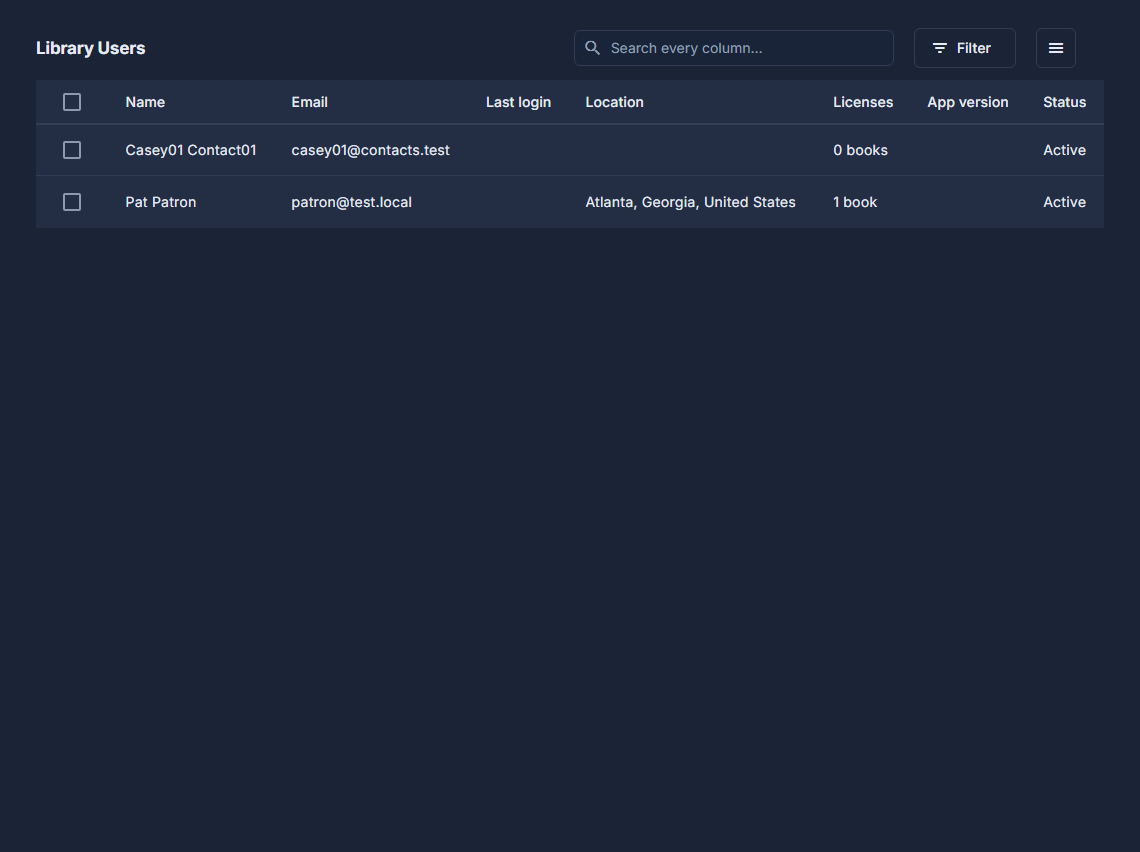
Library Users: every reader, one row each. Press Grant Licenses and tick the books.
Only published books are offered; one they already hold is marked (already licensed). The button says how many you are granting.
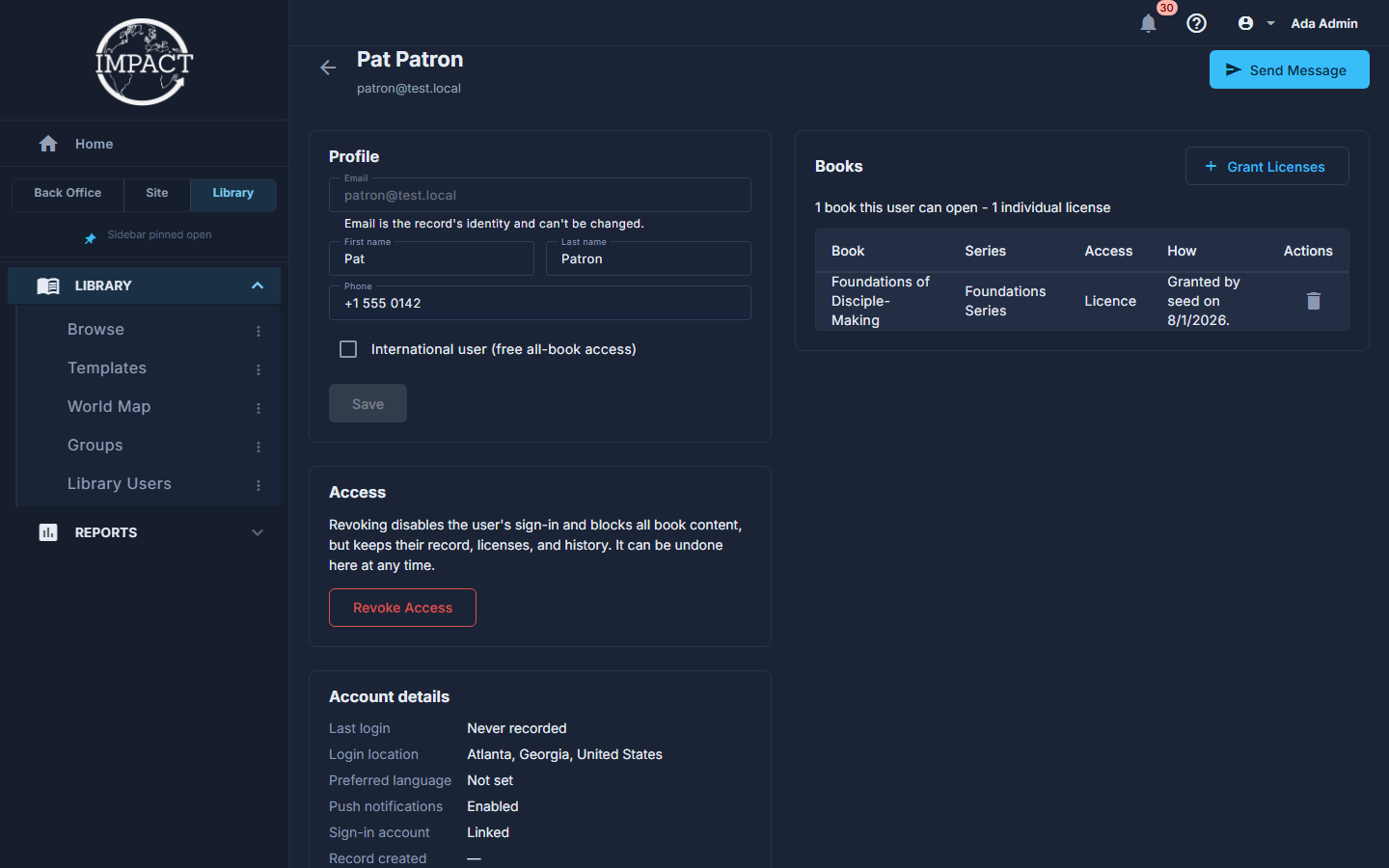
One reader: their profile, their access, their account and the books they hold. To take one book back, press the bin beside it under Books.
A granted book is simply removed. A bought one is removed too but NOT refunded - refunds are made from Purchases.
To close an account, press Revoke Access.
They can no longer sign in and no book opens, but their record, their books and their history are kept, and Restore Access undoes it.
Press Send Message to write to that person.
It opens Send Announcement already set to them - Selected users (1).
For the whole picture, open Library, then Digital Book Users under Reports.
Every reader, with Has book access to narrow it to those who can actually open something, and Export to Excel, under the ☰ at the top, to take it away.
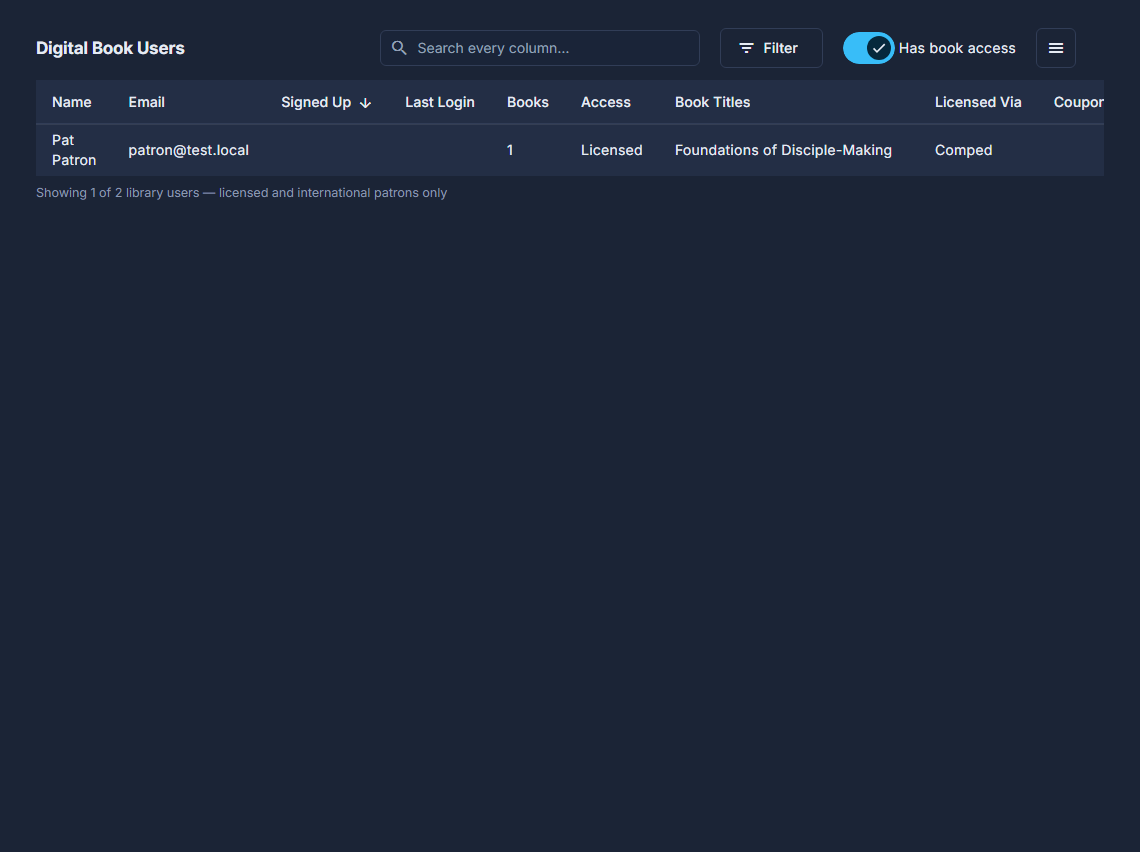
Digital Book Users, with Has book access.
Send Announcement, under the ☰ at the top of the list, writes to a whole audience at once - everyone, everyone who can buy, international readers, the holders of one book, those with one book and not another, or the people you ticked. It can carry a button, and can pop up in the app until dismissed. It says how many it reaches before you send, and revoked accounts are always left out.
An announcement arrives in every reader's inbox and, unless they turned that off, as a notification on their phone. It cannot be called back.
International user (free all-book access), on the reader's own screen, gives every book once you press Save. The app sets it again by itself when that person next signs in from outside the US.