A church is a record in its own right: events happen at its address, its point of contact is who you write to, and its members are contacts you already hold. This is where the four are tied together.
The screens pictured here are an example ministry’s, so the names and figures in them are not yours. Everything they show works the same way in your own admin.
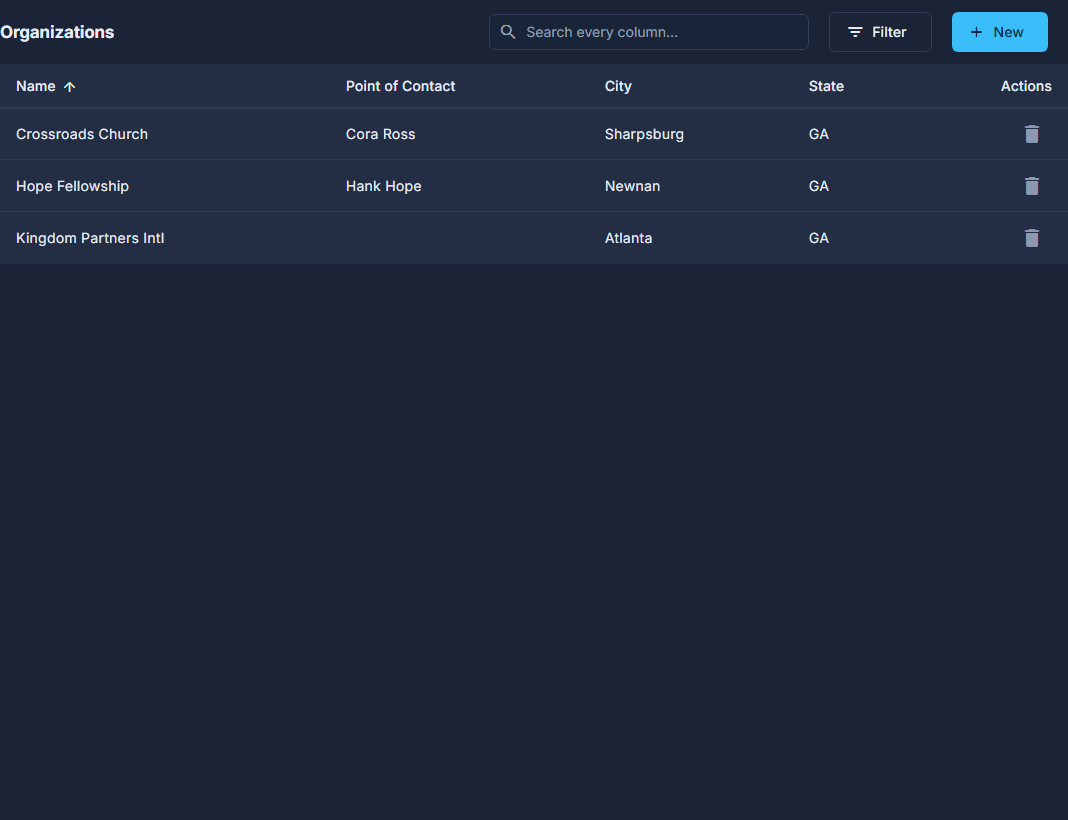
Open Back Office, then People, then Organizations, and press New - or double-click one to open it.
Fill in the Organization panel: Name, Email, Website, Mailing Address and Phone.
An event at this organization uses the mailing address as its venue unless a location below is chosen.
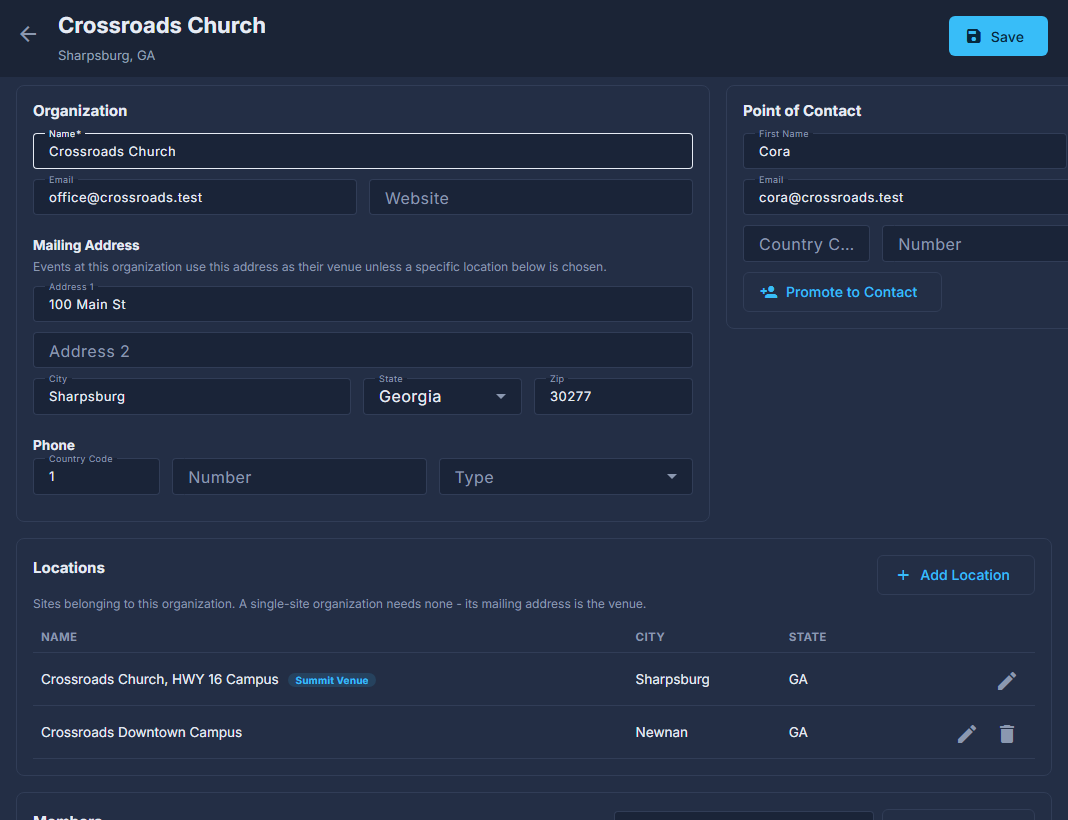
An organization opened for editing. Fill in the Point of Contact, then press Promote to Contact if they should be a contact too.
It makes a contact record for them - or links the one that already has that email - and adds them to the organization's members. Save the organization first.
Press Add Location for a second site.
A single-site church needs none. The location chosen as the Summit venue (on the Summit screen's Venue & Rooms step) has its rooms managed there, and cannot be deleted here.
Under Members, type a contact's email and press Link Contact.
Only an existing contact can be linked. The unlink button takes them off the organization; it does not delete the contact.
Press Save, at the top right.
Locations and Members appear once the organization has been saved the first time.
A request from the website that named a church can become an organization and its contact in one go - from Home, or from the submission itself.
The red trash can on the list deletes the organization. Its members stay as contacts, but they are no longer linked to anything.