A form belongs to the page it sits on, and what people type into it arrives here. Nothing leaves the list by itself - a submission stays Open until somebody acts on it.
The screens pictured here are an example ministry’s, so the names and figures in them are not yours. Everything they show works the same way in your own admin.
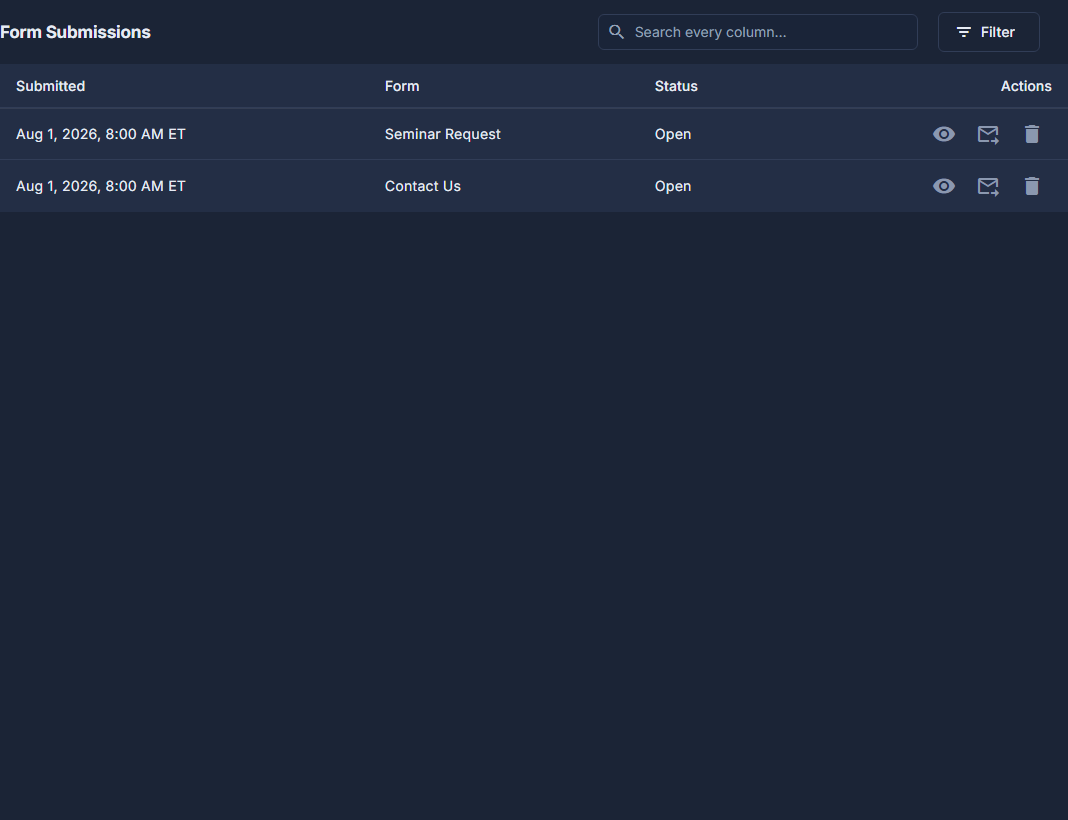
Open Home. A new submission is waiting in "Needs you".
The Form Submissions link beside that heading opens the whole list, not only the unopened ones.
Press View - the eye on the row - to read what they wrote.
From here Create Contact makes a contact out of it, or Create Organization + Contact when they named a church. Both show you the form to check before anything is saved.
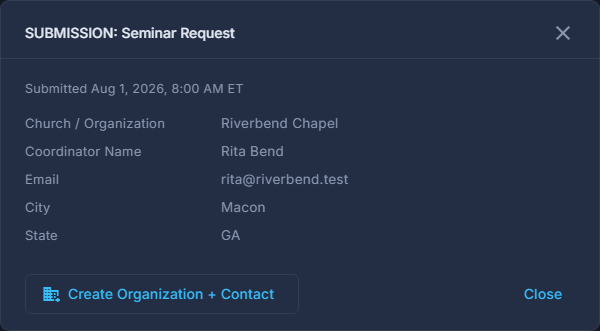
A submission opened with View. Press Forward to send it to whoever should answer it.
Choose a member of staff, or Other for any email address, add a note if you like, and press Forward & Close Request. It emails them, and the row then reads "Routed to" that person.
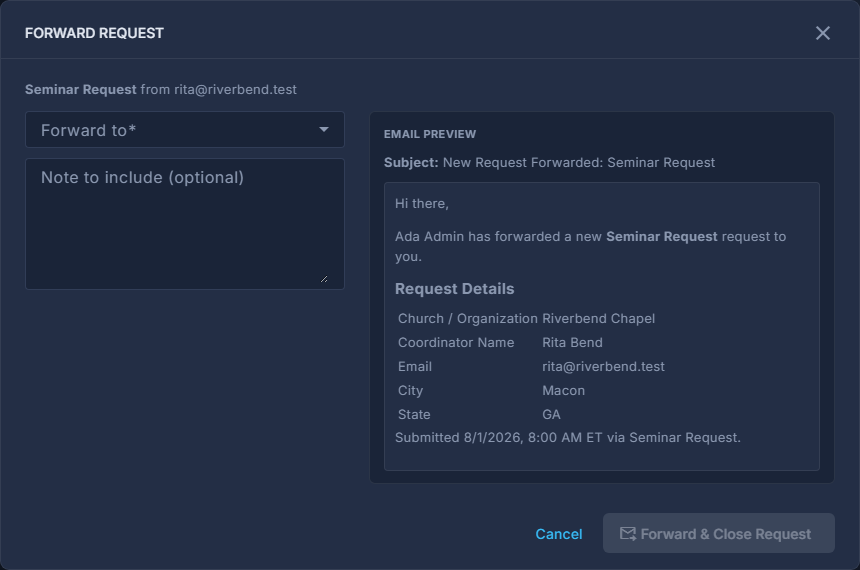
The Forward Request pop-up, with the email preview. Sent to the wrong person? Press Reopen.
It goes back to Open and back onto Home, and nothing is sent again.
Forms themselves are made and changed in the page that shows them, under Site, then Pages. There is no separate form builder to go looking for.
The red trash can deletes a submission and throws away what the person wrote. If it only went to the wrong place, reopen it instead.
A row marked TEST was sent from the page designer to try the form out. It is safe to delete.