Purchases answers "what did we sell, and where to"; Commissions answers "what do we owe the people who sold it for us". Both are read-only and both export.
The screens pictured here are an example ministry’s, so the names and figures in them are not yours. Everything they show works the same way in your own admin.
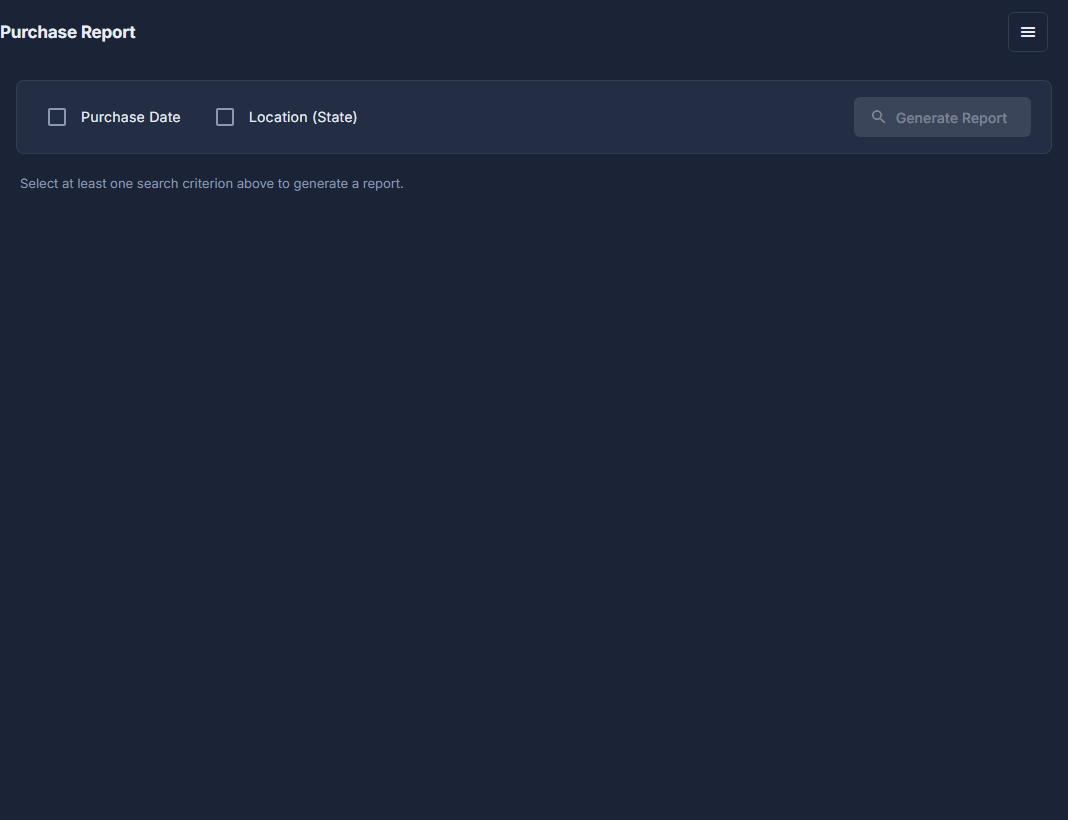
Open Back Office, then Commerce, then Purchases under Reports.
Tick Purchase Date or Location (State), fill it in, and press Generate Report.
At least one has to be ticked - nothing runs until something has been asked. A date can be after a day, between two, or the last so many months.

Both criteria ticked: a date mode and a state. Open the ☰ at the top of the screen: Export to Excel takes the results away, and Columns chooses what is shown.
Addresses, Status and Receipt start hidden. Export waits until the report has results.
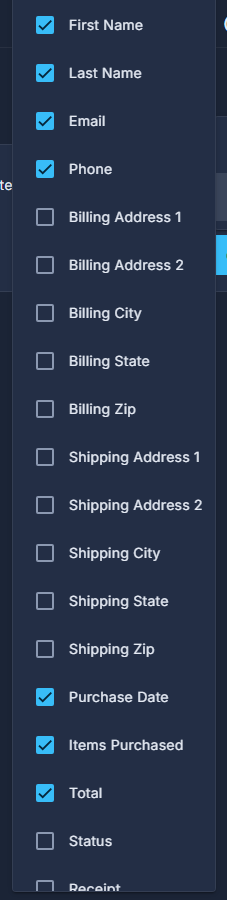
The Columns menu: tick a column to show it. For affiliates, open Commissions under the same Reports heading, and pick a month and year.
One month at a time, grouped by affiliate, with a total and a commission for each.

Commissions runs for one month at a time.
Commissions counts only purchases made against a coupon marked as an affiliate coupon, and the commission is a tenth of what the sale actually took after the discount.
Location matches either address on the order, billing or shipping, so an order shipped to a gift address in Georgia counts for Georgia.