The header is the first band on the page: the photo, the small line, the title and a button or two. It is an ordinary Section with one difference - it is pinned to the top, so a page always opens the way your site opens.
The screens pictured here are an example ministry’s, so the names and figures in them are not yours. Everything they show works the same way in your own admin.
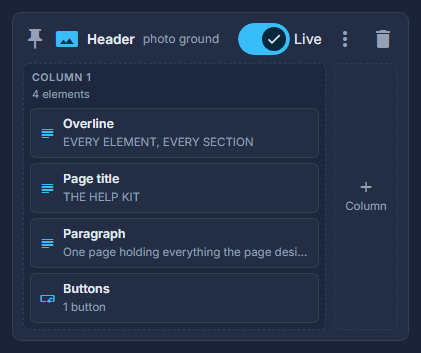

Double-click the header to change its picture, height and shade.
The picture is the band's ground. Height runs from short to poster. A phone can have its own picture, cropped for a tall screen.
Edit the words inside it like any element.
The small line above is a Text set as an Overline; the title is a Text set as the Page title. A page has one Page title - the designer says so above the structure if it finds more.
On an application page, the header is all there is to edit.
The Store, the E-Books page, the Team page and the group finder build the rest of themselves from your records. Their page says "Header only" above the designer.
A header cannot be duplicated or dragged below another section. Delete it and the page has no header until you start one from the Add rail.