An issue is written in the newsletter's own campaign, in the email designer. One design does both jobs: the newsletter page on the site shows its body exactly as designed, and the email sends all of it - logo, footer and unsubscribe line included. The campaign lists every issue, tagged with where it went.
The screens pictured here are an example ministry’s, so the names and figures in them are not yours. Everything they show works the same way in your own admin.
Open Back Office, then People, then Campaigns, and open the newsletter's campaign.
It is the one whose header says "Posts to the ... page" with your newsletter's name.
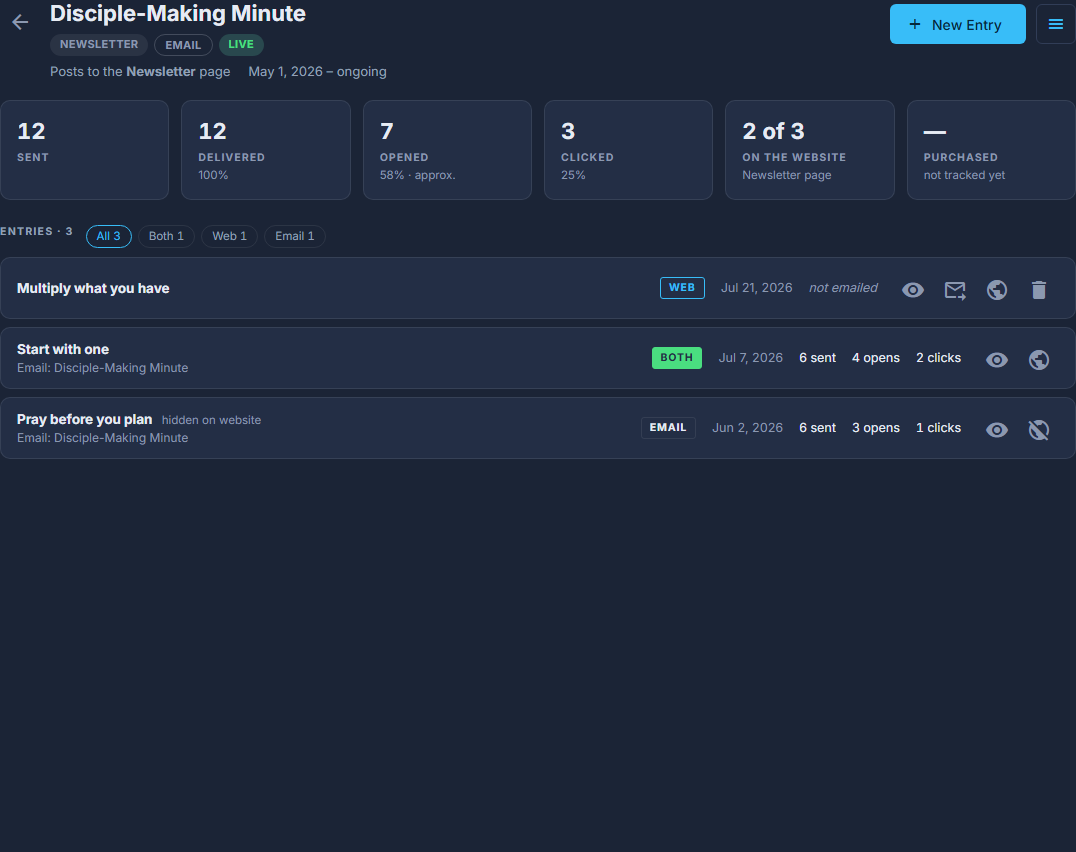
The newsletter's campaign: New Entry at the top right, and every issue below it, tagged WEB, BOTH or EMAIL. Press New Entry and choose where it goes.
Website and email is chosen already. Website only puts it on the page and sends nothing. Email only sends it and keeps it off the website until you switch it on.
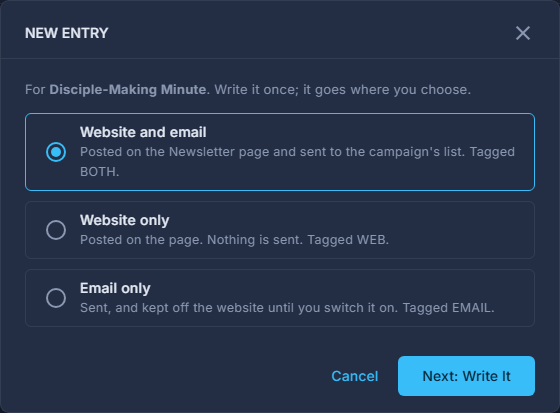
NEW ENTRY: Website and email, Website only, or Email only. Next: Write It opens the designer. Fill in the subject across the top, then the title on the Website post tab, and design the issue.
It opens on the newsletter template. The subject and the preview text are the two boxes across the top - they are the email. The Website post tab on the right holds what belongs to the website page instead: its title, its date, and "Show on the website". The tab's badge counts a title that is still empty, and an issue will not save without one.
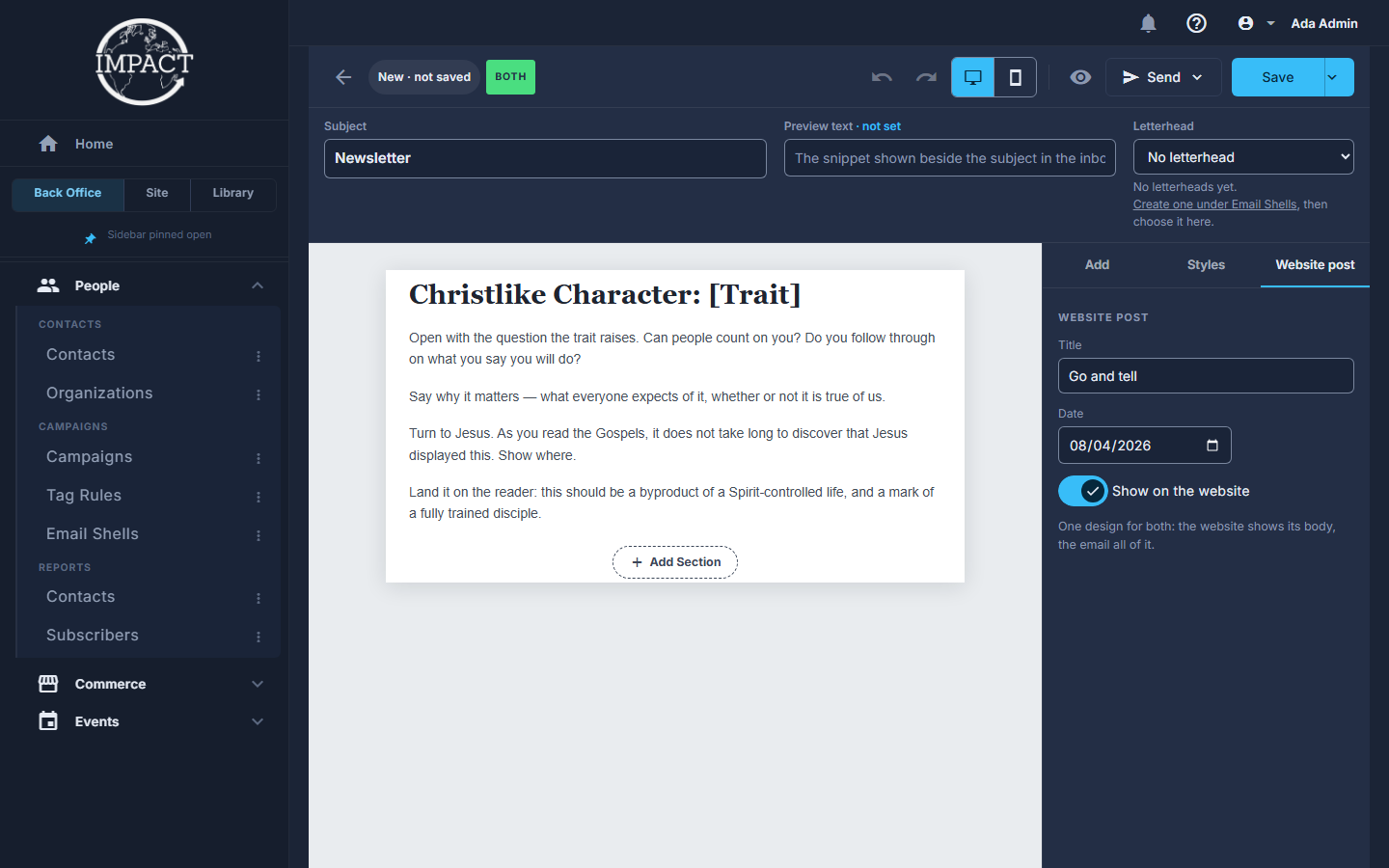
An issue in the designer: the subject across the top, the BOTH tag, and the Website post tab open on the right. Press Save.
Website only says Save to Website. Otherwise the issue and its email are saved together, and the campaign shows them as one row.
To email it, press Send: send yourself a test first, then Send now, or Schedule for later.
It goes to the campaign's audience, and you are shown the count before anything is sent.
On the campaign each row is tagged BOTH (sent and on the website), WEB (on the website, never sent) or EMAIL (sent, not on the website). The globe on a row puts it on the website or takes it off; Send as Email on a WEB row writes its email.
A sent email cannot be recalled. Once an issue's email has gone, opening the issue changes the website post only.