An email belongs to a campaign, and the campaign is what decides who receives it and when any discount it carries runs. So the campaign comes first, even when all you want to send is one email.
The screens pictured here are an example ministry’s, so the names and figures in them are not yours. Everything they show works the same way in your own admin.
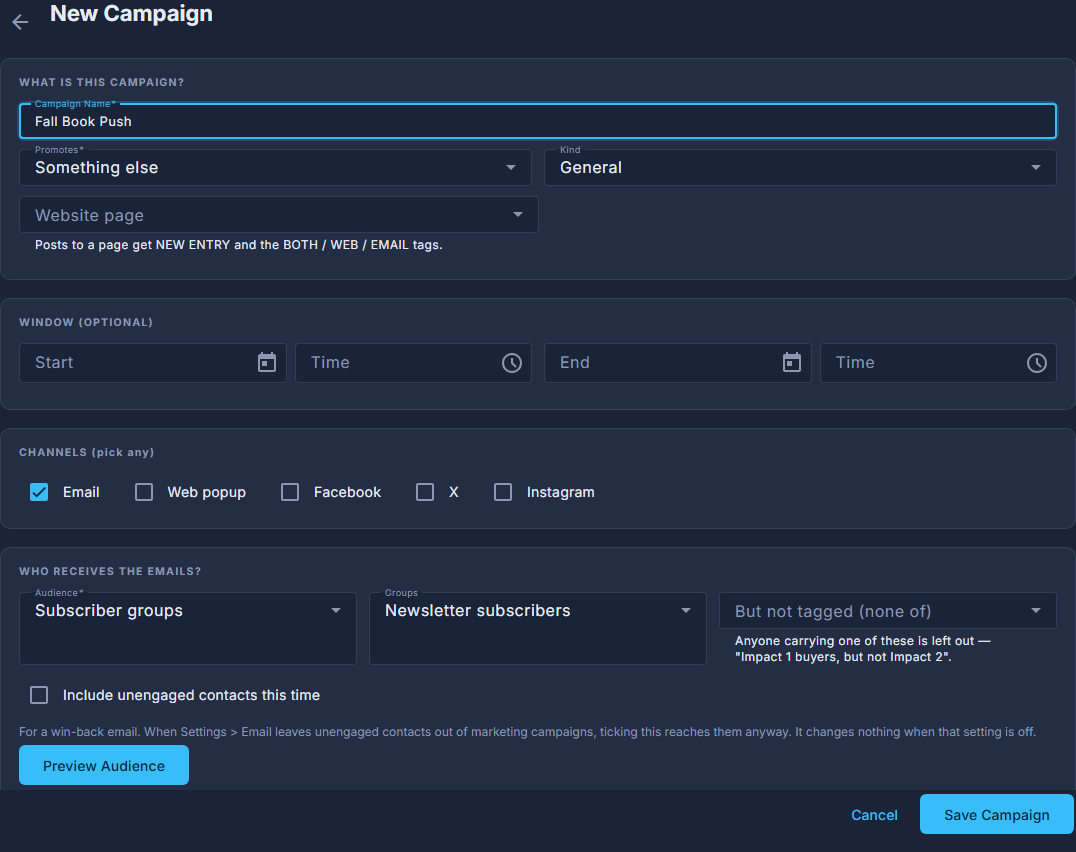
Open Back Office, then People, then Campaigns, and press New Campaign.
Name it, say what it promotes, tick Email under CHANNELS, and set the audience.
Preview Audience tells you how many people that is before you have committed to anything.
Press Save Campaign.
It opens the campaign itself, marked DRAFT.
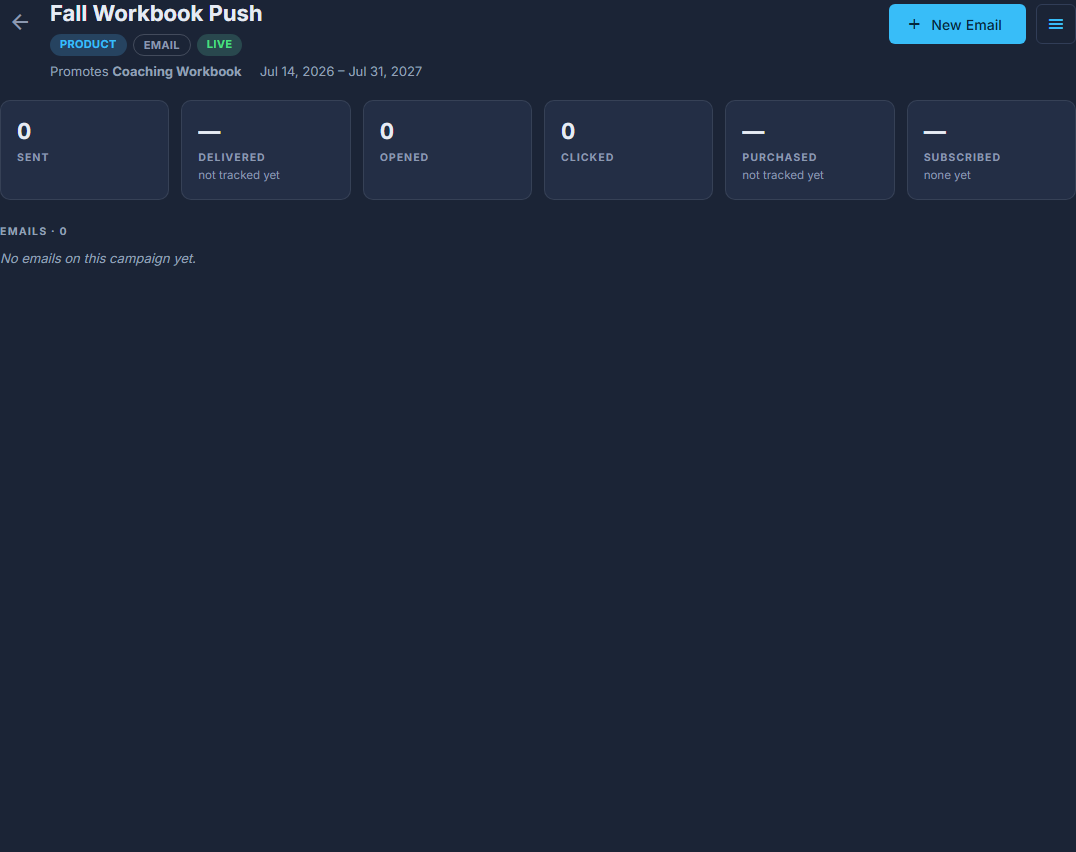
A campaign: its buttons, its numbers, its emails. Press Activate.
A campaign has to be live for its popup and its discount to start. Only one live campaign at a time may point at the same product or event.
Press New Email and build it.
Two boxes sit across the top: the subject line people read in their inbox, and the preview text shown beside it. An email has no separate name - the subject is what names it on the campaign. A campaign that promotes a product or an event opens with that item already laid out.
Send yourself a test first: Send, then "Send a Test to" your address.
It goes to that one address only. To send it somewhere else, choose "Schedule, Automate or Change the Test Address…" and use "Send test to" at the bottom of that panel.
Press Send, then "Schedule, Automate or Change the Test Address…", and choose Send now, Schedule for later, or Automated.
Automated sends to each contact once, so many days after the tag that caught them, and its button is Activate. To send straight away, Send Now… on the Send menu goes to the same confirmation.
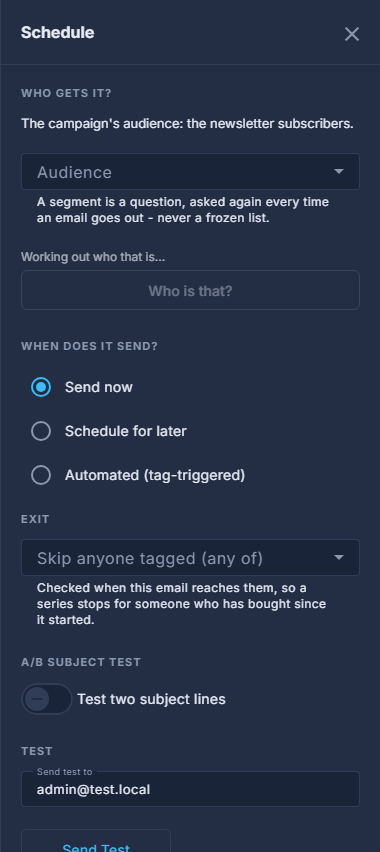
The Schedule panel: when it sends, and the test. Press Send Now and read the confirmation.
It names the subject and how many people it is about to reach. A big send rolls out in paced batches to stay under the hourly limit.
Sent is sent - there is no unsend. That confirmation is the last point at which you can stop it.
Choose Schedule for later and the button says Save Schedule instead of Send Now: it saves when it goes, and nothing is sent while you are standing there.
Under A/B SUBJECT TEST you can try two subject lines on part of the audience; the one with more clicks goes to everyone else.
A campaign that posts to a website page - your newsletter, or the Newsletters page - says New Entry instead of New Email, and asks whether it goes on the website, by email, or both. Choose which page in Edit Campaign (under the ☰), under Website page.